

Store Default Profile is the main shipping profile for your store.
This profile will apply to all products that are not assigned to any custom profile. If most of your products use the same shipping rate, you can manage the rate from this profile.
In the Store Default Profile, you can choose one shipping method to be used as your default shipping rate setting. There are 4 shipping method options available:
Choose the shipping method that best fits your store operation and delivery charges.
To set up your Store Default Profile:
1. Go to Settings > Shipping and Delivery.
2. Under Shipping Profiles, go to Store Default Profile.
3. Click on General Profile > you will be directed to the Edit General Profile page.
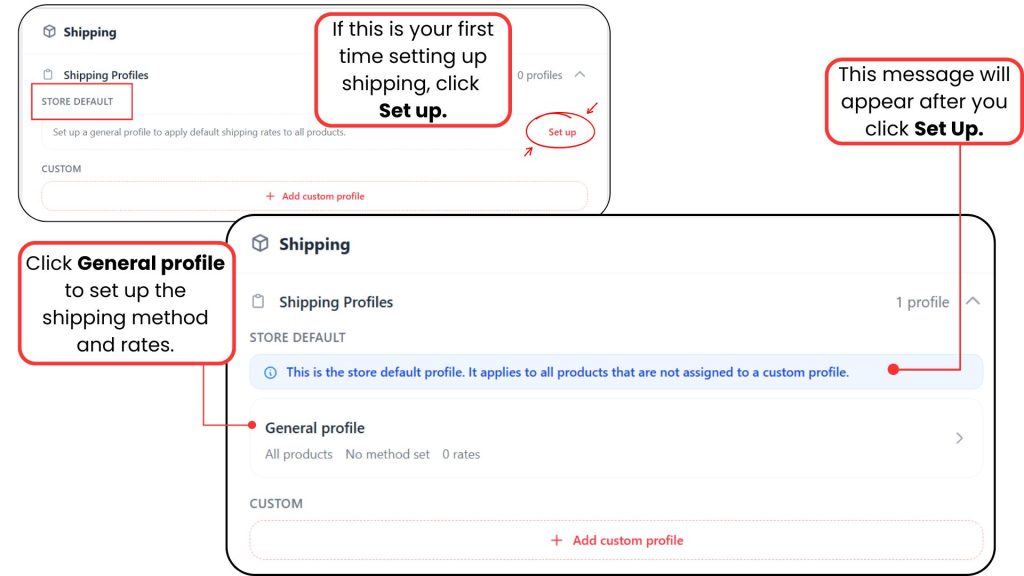
4. Under Shipping Method & Rates, select your preferred shipping method.
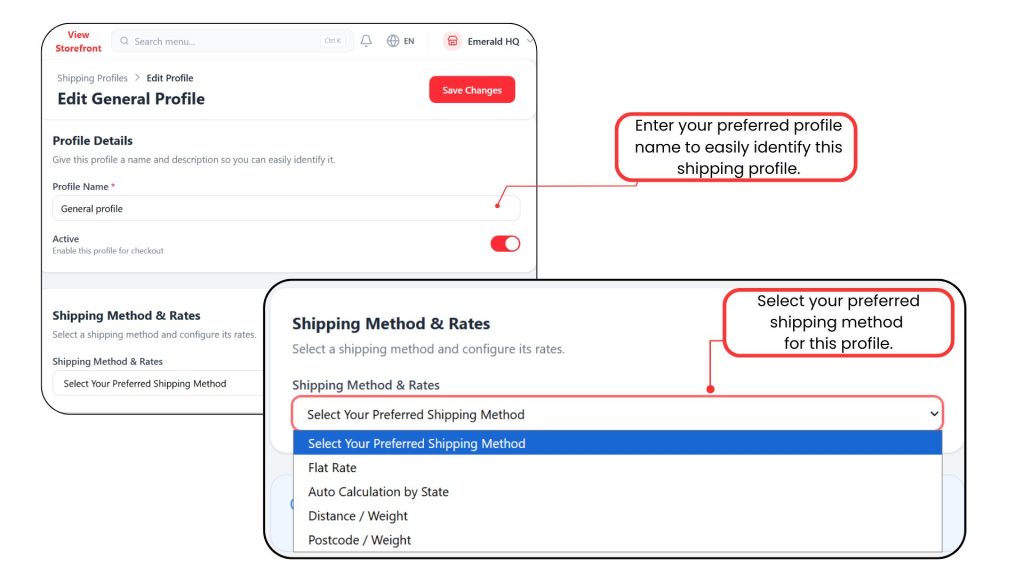
5. To know more about how to set Shipping Method & Rates, you can refer to the list below:-
Flat Rate