

The Bulk Import Members feature allows you to transfer your existing members from JustOrder Classic to NextGen.
Member information such as name, phone number, email, date of birth and reward points can be imported into your NextGen store.
Step 1: Export Members from Classic #
Go to Shop Detail and click Members.
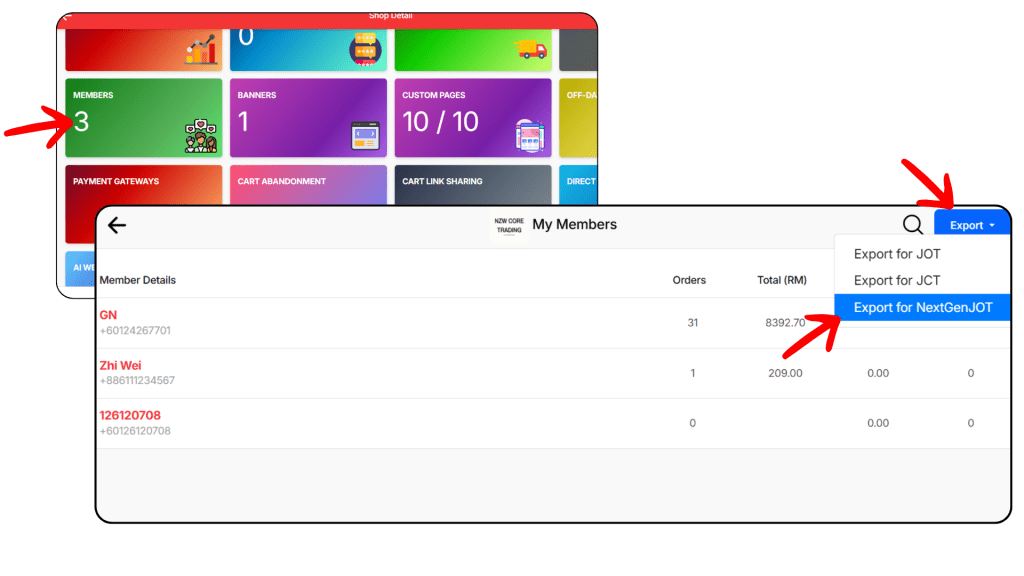
Then, click Export and select Export for NextGenJOT.
Step 2: Open Bulk Import Member in NextGen #
In your NextGen admin panel, go to Customers > click on Registered Members tab
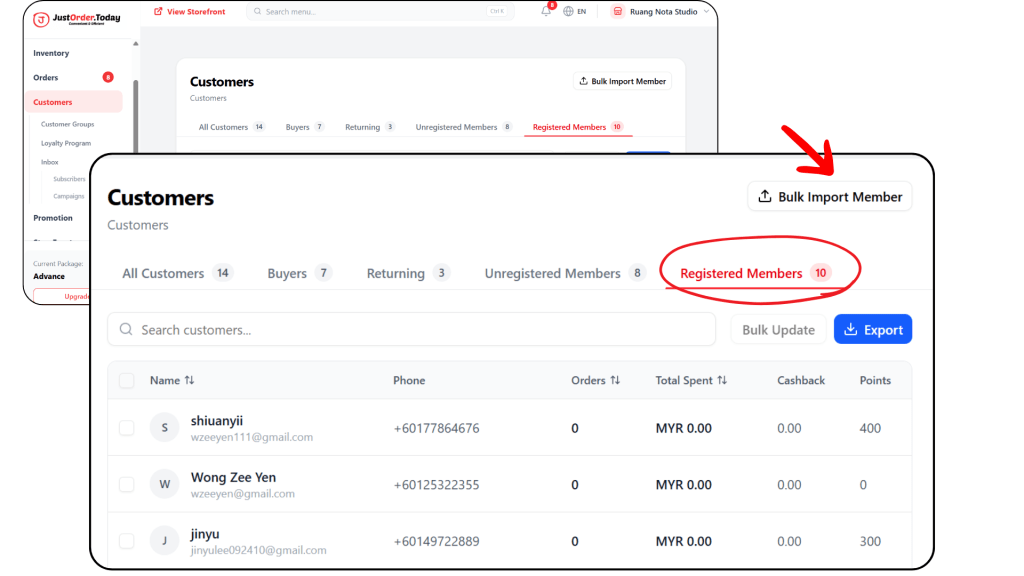
Click Bulk Import Member.
Step 3: Upload the File #
Click Choose a file to upload and select the member file exported from Classic.
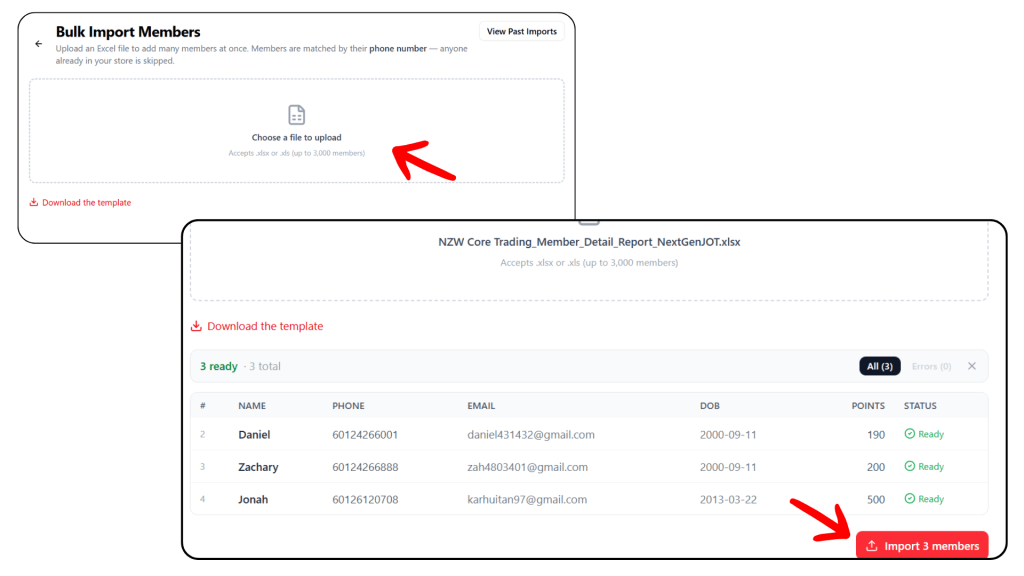
Once the member list appears, click Import Members.
Step 4: Wait for the Import to Complete #
When Upload Received appears, it means your file has been uploaded successfully.
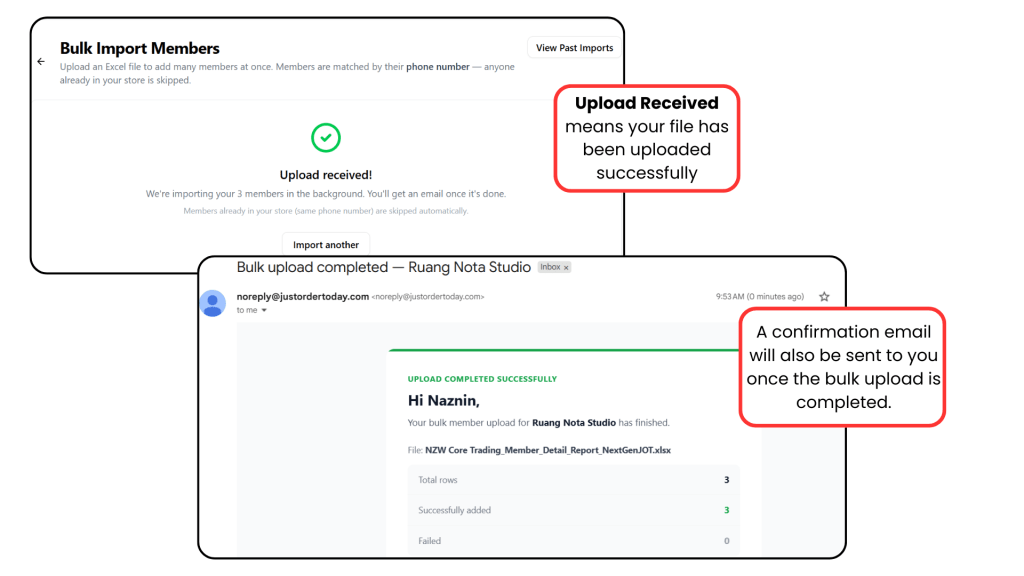
A confirmation email will be sent to you once the bulk import is completed.
Important Note: After the import is completed, customers can log in to the new store using the same email address. However, they must reset their password before logging in for the first time.