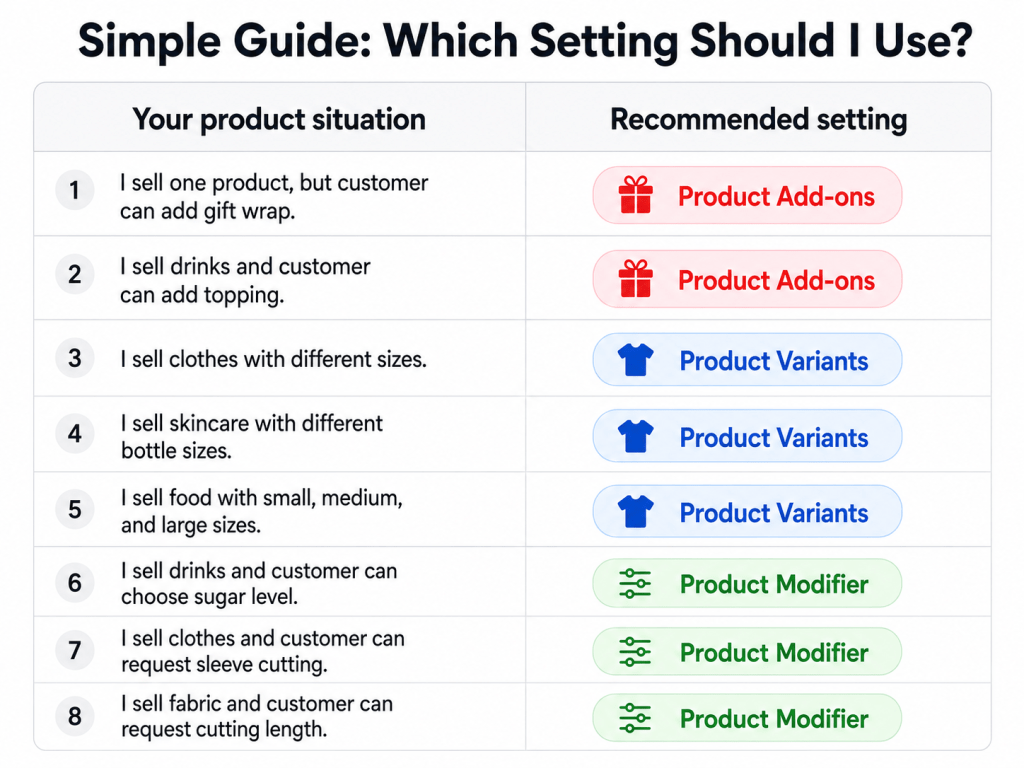

When adding or editing a product, you may see different settings that allow customers to choose, customise, or add extra items to their order.
These settings may look similar, but each one serves a different purpose:
Choosing the correct setting will help you display your product more clearly and create a better checkout experience for your customers.
Which one should I choose? #
Use Product Variants if the product itself comes in different versions such as size, colour, type, or material.
Use Product Modifier when customers want to customise the product during checkout.
Use Product Add-ons when you want to offer extra items that customers can add together with the main product.