

Self Pickup allows customers to place an order online and collect the item themselves from the merchant’s location.
This option is suitable for merchants who have a physical store, office, booth, warehouse, or any pickup point where customers can come and collect their orders without using courier delivery.
Once Self Pickup is enabled, customers will be able to select this option during checkout.
How Self Pickup Works #
- The customer places an order through the Storefront or Order Form.
- During checkout, the customer selects Self Pickup as the delivery method.
- The customer will see the pickup address set by the merchant.
- After the order is confirmed, the customer can come to the location to collect the item.
- The merchant prepares the order for customer pickup.
How to Enable Self Pickup #
- Go to Settings.
- Select Shipping and Delivery.
- Under Additional Delivery Methods, turn on Self Pickup.
- Set the Pickup Address.
- Click Save Changes.
Pickup Address Options #
The merchant can choose which address customers will use for pickup.
1. Follow Shipping Address #
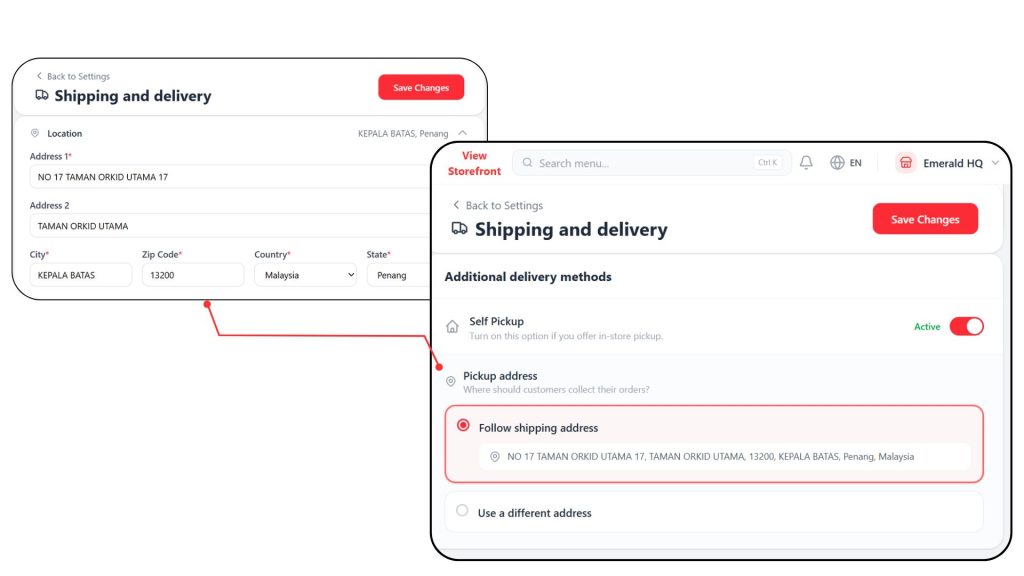
Choose this option if customers will collect their orders at the same address as the shipping address.
The pickup address will follow the address set in the Shipping Address Location .
Example:
If the merchant wants customers to pick up items directly from the shop, this option can be used.
2. Use a Different Address #
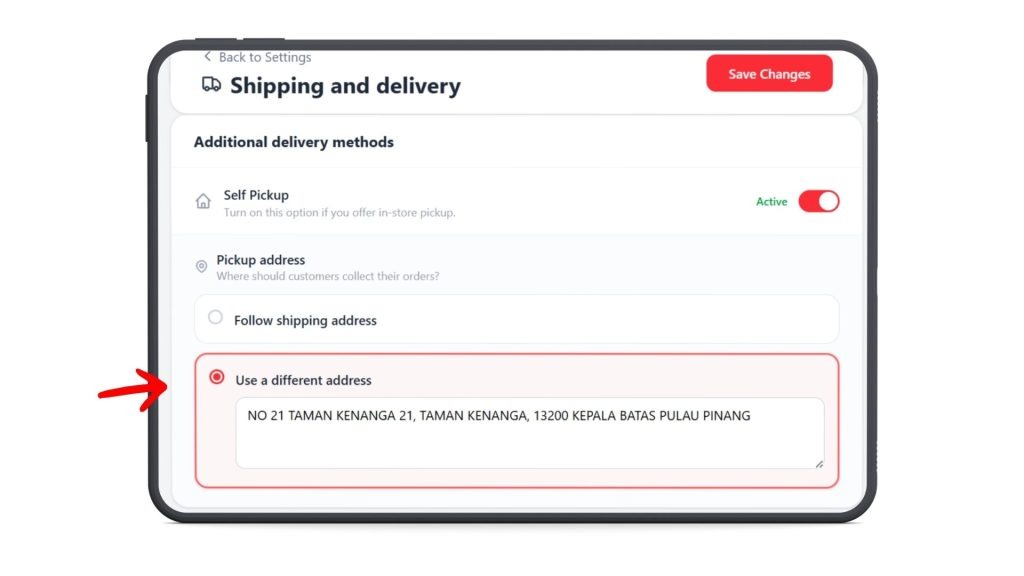
Choose this option if the pickup location is different from the shipping address.
The merchant can manually enter a different pickup address.
Example:
The store address may be used for business registration, but customers need to collect their orders from a warehouse, office, booth, or another pickup point.
Additional Settings #
Pickup Date & Time Selection
Enable this option to allow customers to select when they would like to pick up their order during checkout. This makes it easier for you to arrange and prepare orders on time.
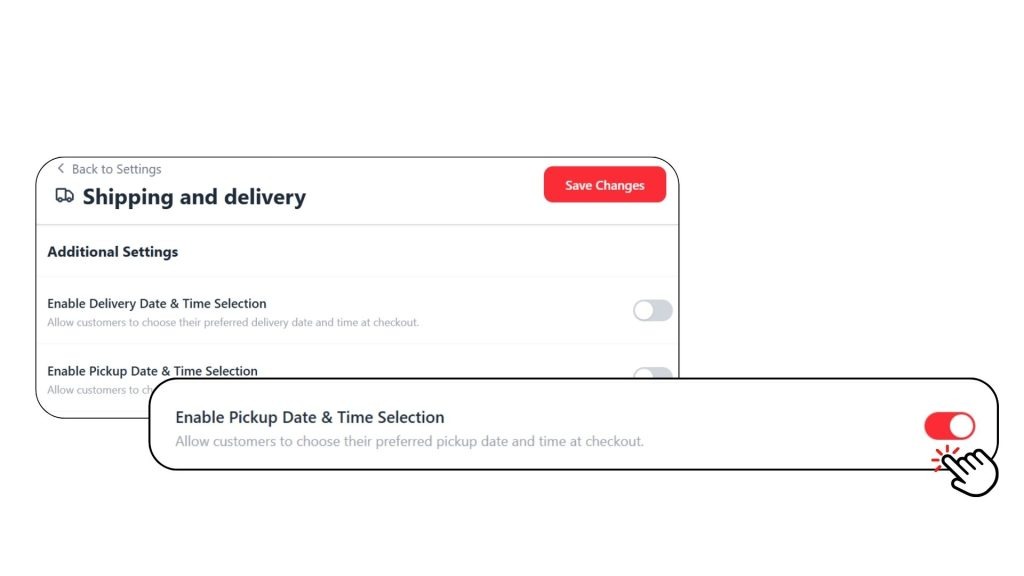
Don’t forget to click Save Changes after enabling this setting.